
Your HR, right in your pocket
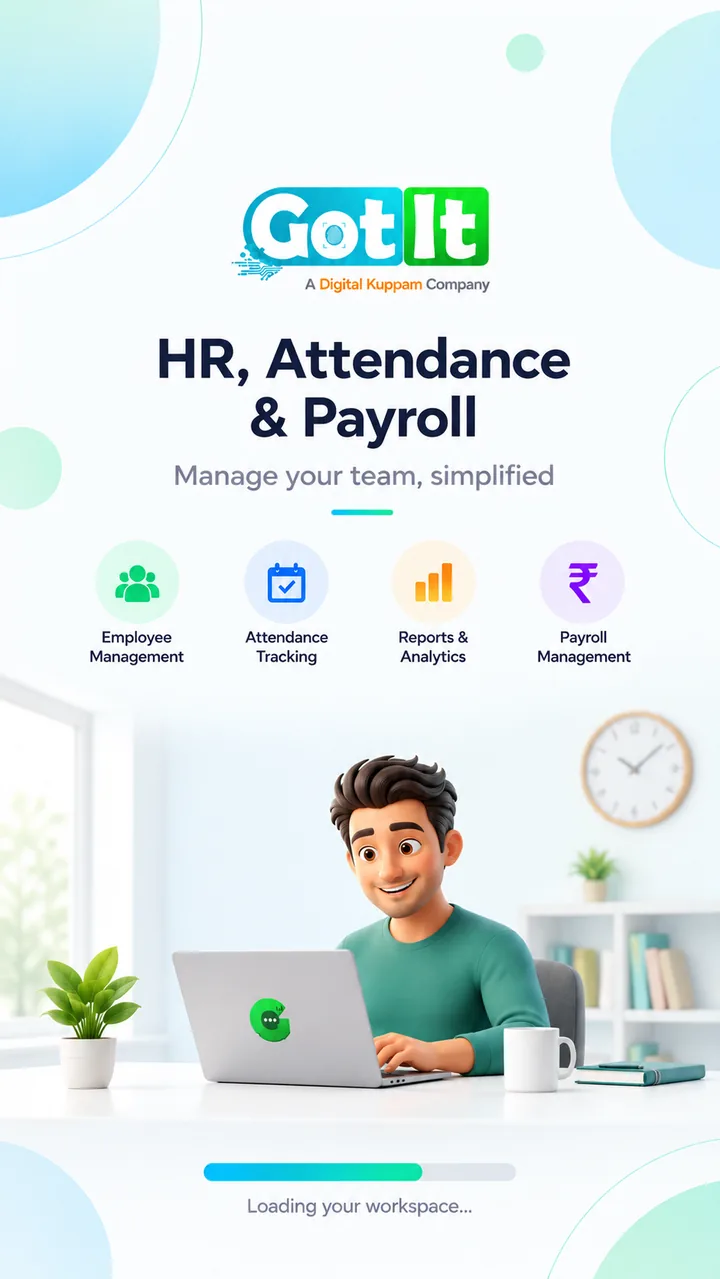
The GotIt Mobile app lets employees of companies on GotIt Cloud punch attendance with a location check and selfie, apply for leave, see their work calendar and download payslips.
Geo Punch
Check-in inside your office zone.
Selfie Check
When your company asks for it.
Payslips
Every month, on your phone.
Work Calendar
Shifts, leave and holidays.
One app for your workday
Built for employees: everything they do every day, without logging in to a computer.
Punch attendance
Punch in and out from your phone. GotIt checks you are inside your office zone and takes a selfie when your company requires it.
Work calendar
See your shifts, attendance status, leaves and holidays for every day of the month.
Leave requests
Apply for leave, follow its approval and check your balance and upcoming holidays.
Payslips
Open and download your monthly payslips as soon as payroll is published.
People directory
Find colleagues and their contact details across your company.
Documents
Upload and keep your personal documents in one safe place.
My assets
See the laptop, phone or other company assets assigned to you.
Tasks
Keep track of the tasks assigned to you.
Notifications & help
Get alerts for approvals and payslips, raise support tickets and report problems from the app.
Experience GotIt Mobile in action
Explore real screens — click any feature on the side to preview attendance, shifts, leave requests and profile self-service.
HR, Attendance & Payroll
Welcome & WorkspaceManage your team with simplified onboarding. Fast sync connects your employee profile directly to GotIt Cloud in seconds.
- All-in-one employee and attendance hub
- Secure sign-in with company email or OTP
- Smooth cloud workspace synchronization
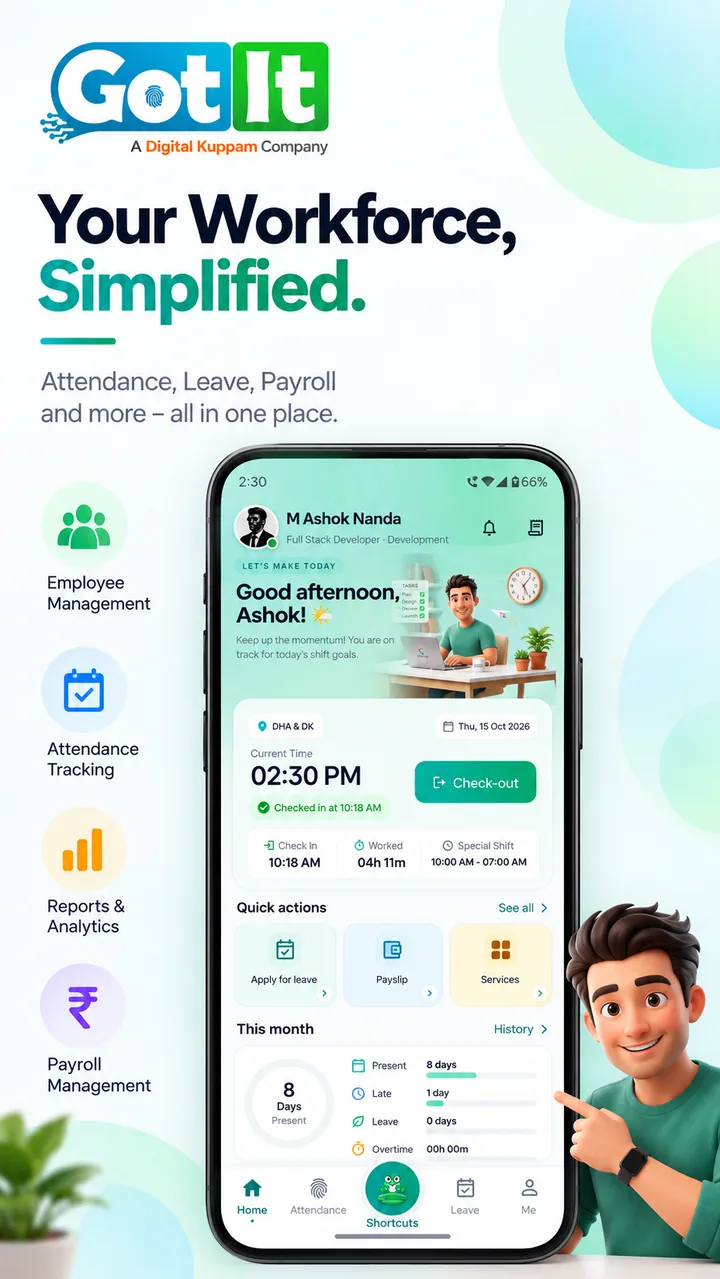
Your Workforce, Simplified
Home DashboardStart your day with one tap. See your live shift hours, elapsed work time, active geofence status, and instant shortcuts to leave and payslips.
- One-tap punch in/out with elapsed timer
- Monthly attendance summary (Present, Late, Leave)
- Quick action launchers for payslips and requests
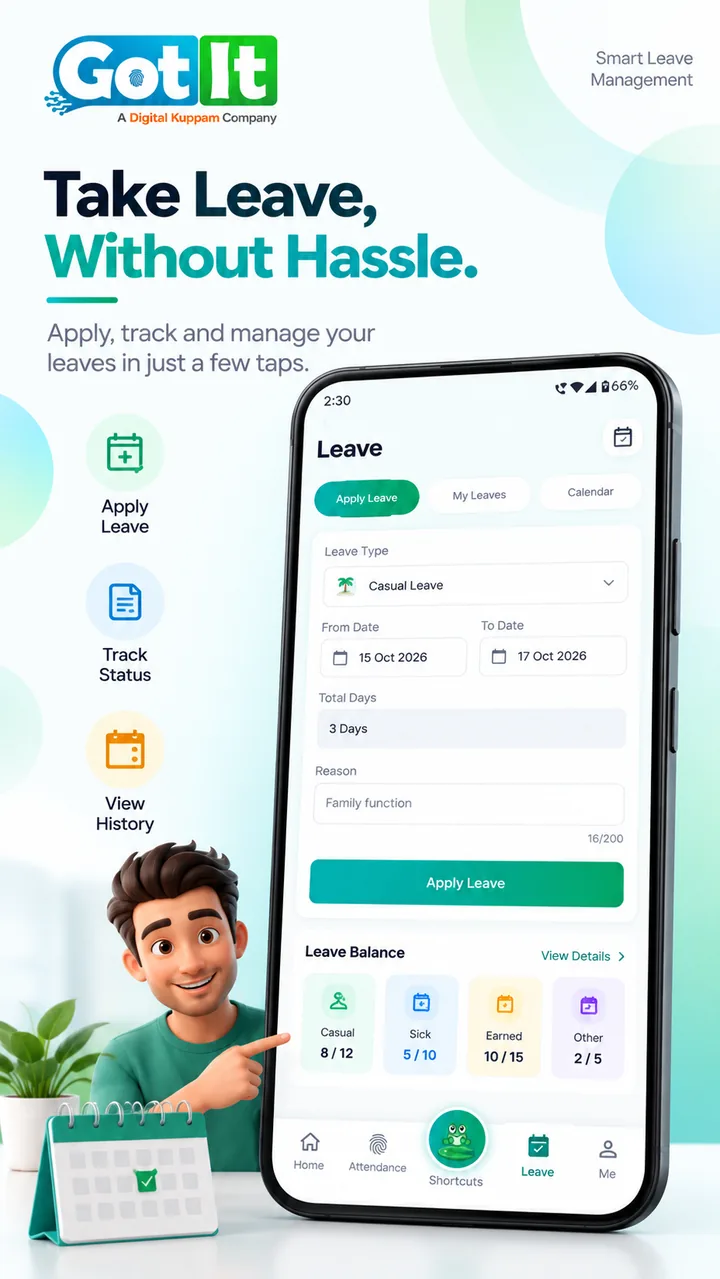
Take Leave, Without Hassle
Leave ManagementApply for Casual, Sick, or Earned leaves with live balance quotas. Follow approval status and view integrated company holiday calendars.
- Real-time leave balance breakdown (Casual, Sick, Earned)
- Quick date selector and multi-day duration counter
- Instant notifications when managers approve
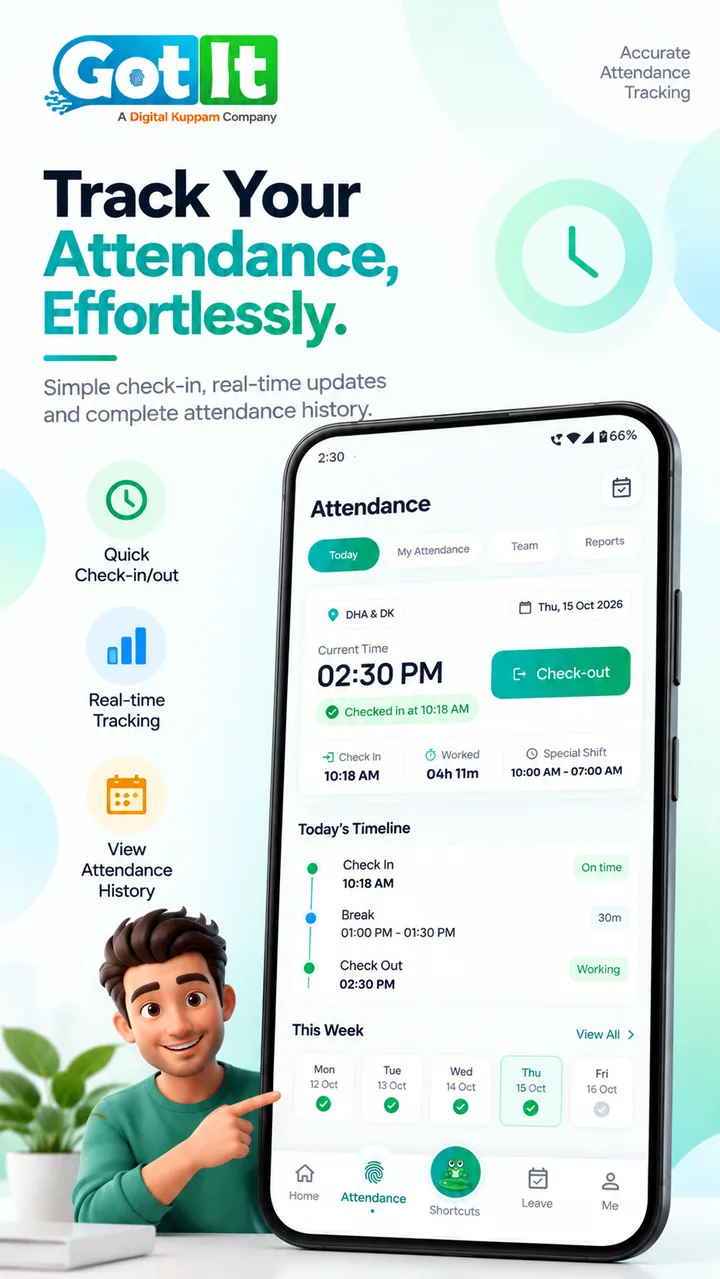
Track Attendance Effortlessly
Attendance TrackingGain complete visibility into your workday. View verified check-in timestamps, break durations, office zone checks, and weekly attendance history.
- Visual daily timeline with check-in, break & check-out
- Geofenced office zone & selfie verification checks
- Day-by-day weekly status indicators at a glance
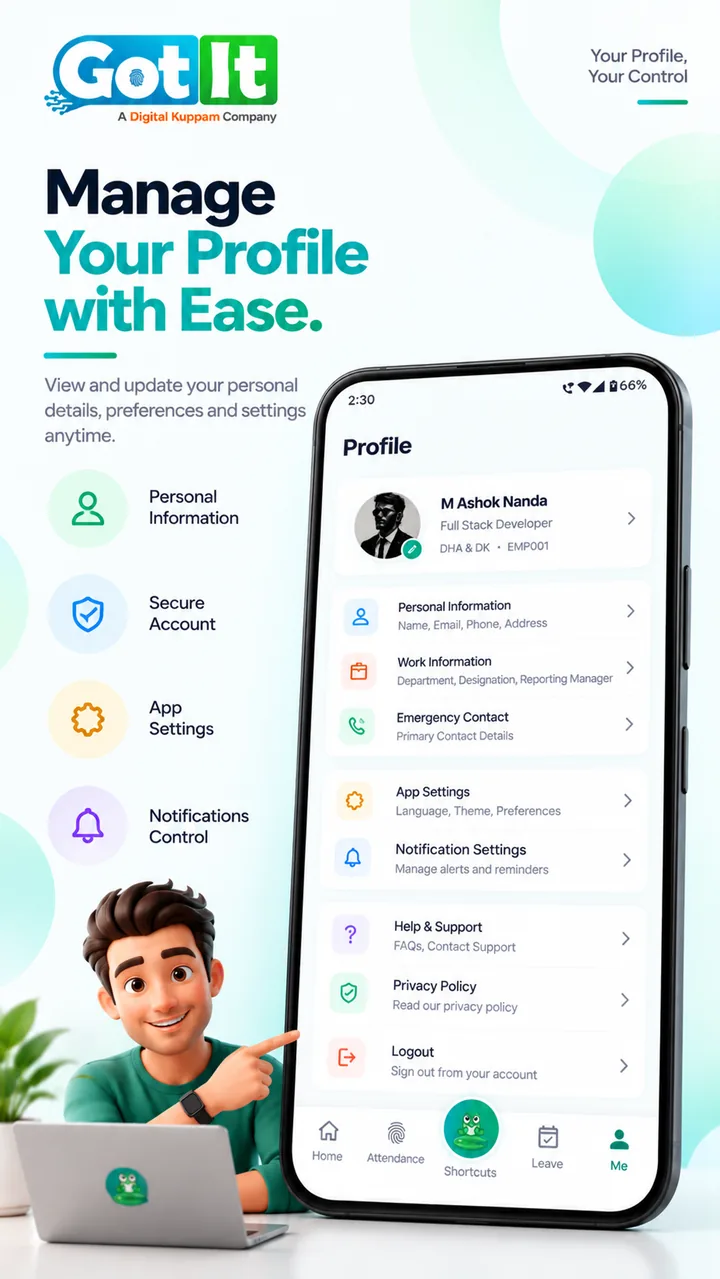
Manage Profile with Ease
Profile & Self-ServiceKeep your personal details up to date, review assigned work info, configure notification alerts, and reach company help & support anytime.
- Personal, emergency contact and work details
- Notification and language preference controls
- Built-in help desk, privacy policy and secure logout
Wherever your people work
At a desk, on the road or on the shop floor — attendance and HR go with them.
Office staff
Punch in at the office in a second and handle leave and payslips without visiting HR.
- Punch inside the office zone
- Apply for leave in a few taps
- Monthly payslips on the phone
Field & sales teams
For people who start their day at a client site or branch instead of the head office.
- Punch at the zones your company allows
- Selfie confirms who is punching
- Colleagues' contacts in the directory
Shift workers
Know your shift, your hours and your holidays before you leave home.
- Shifts and status in the work calendar
- Holidays for the year at a glance
- Alerts when leave is approved
Works hand in hand with GotIt Cloud
Everything an employee does on the phone appears for HR in GotIt Cloud — and everything HR publishes reaches the phone.
Punches show up for HR
Attendance captured on the phone is part of the same daily and monthly attendance HR sees in GotIt Cloud.
Leave goes for approval
Requests reach the approver in GotIt Cloud, and the employee is notified of the decision.
Payslips appear when published
When payroll publishes the month's payslips, employees can open them in the app.
Less waiting on HR, more getting work done
Employees handle their everyday HR from the phone in their pocket — no queue at the HR desk, no forms, no logging in to a computer.
Start the day with one tap
Punch in as you arrive; the app confirms you are in the right place.
Requests without paperwork
Apply for leave and get notified as soon as it is approved.
Pay, always at hand
Every payslip is on the phone the moment payroll publishes it.
How it works
The app works together with GotIt Cloud — your company sets it up once, employees just sign in.
Your company uses GotIt Cloud
Attendance zones, shifts, leave policies and payroll are set up once in GotIt Cloud.
Your admin adds you
HR adds you as an employee with your email or mobile number.
Sign in on the app
Sign in with your email, phone number or a one-time code and start punching attendance.
Built with employees' privacy in mind
The app only asks for what attendance needs — and only when it needs it.
Location only to punch
Your location is checked when you punch, to confirm you are inside your work zone.
Selfie only when required
A selfie is taken only if your company requires it for attendance.
Secure sign-in
Sign in with your email, phone number or a one-time code.
Your devices, your control
See where you are signed in and manage your security from your account.
Free for every employee on GotIt Cloud
GotIt Mobile is included in every GotIt Cloud plan. There is nothing extra to buy — your company pays for GotIt Cloud and all its employees can use the app.
See GotIt Cloud plansFAQs
Quick answers about the GotIt Mobile app.
Answers before you install
Still unsure? Read the documentation or contact our team.
Who can use GotIt Mobile?
Employees of companies that use GotIt Cloud. Your HR team adds you; then you sign in on the app. The app is for employees — admins manage everything in GotIt Cloud on the web.
How much does it cost?
Nothing extra. GotIt Mobile is included free with every GotIt Cloud plan; there is no separate pricing for the app.
Which phones are supported?
Android and iPhone (iOS). GotIt Mobile is now live on Google Play for Android devices, and coming soon to the Apple App Store.
Why does the app ask for my location or a selfie?
Only when you punch attendance, and only if your company requires it: the location confirms you are inside your office zone and the selfie confirms it is you.
Do we need GotIt Desktop for the app?
No. The app works with GotIt Cloud. GotIt Desktop is only for companies that sync biometric devices on their own premises.
Need more detail or other installers?
Give your team GotIt Mobile
Start with GotIt Cloud — the app comes free for every employee.
