1. Home
  2. Services
  3. Scan & Go
Attendance

Scan & Go

Contactless QR attendance with a face check.

Place a secure QR code at the workplace and assign it to the people who work there. Employees scan it with GotIt Mobile and confirm with a face check to record attendance in seconds.

  • Secure QR codes
  • Code allocation
  • Scan from the app

Part of GotIt Mobile Web portal & GotIt Mobile

Scan & Go live QR display that refreshes every 30 seconds
How it works

Scan & Go in 4 steps

From first setup to everyday use.

  1. Step 1:

    Set up the QR

    Create a QR configuration with a title, rotation interval and secret key.

  2. Step 2:

    Allocate users

    Drag the employees who should use it into the assigned list.

  3. Step 3:

    Show it at the door

    Open QR Display on a screen; the code refreshes on its own every few seconds.

  4. Step 4:

    Scan and verify

    Employees scan with the app, then a face check confirms the punch.

See it in action

Inside Scan & Go

Real screens from GotIt.

Live QR display in GotIt
01

A QR code that keeps changing

QR Display shows a live code that rotates on a timer, so a photo of yesterday's code is useless.

  • Auto-refresh on your chosen interval
  • Simple four-step instructions on screen
  • Works on any monitor or tablet
Codes & Allocations in GotIt
02

Decide who can scan

Codes & Allocation holds each QR setup and the employees assigned to it.

  • Rotation interval and secret key
  • Drag-and-drop user allocation
  • Separate codes per site
QR Logs in GotIt
03

Logs with location and face score

QR Logs records each scan with the mode, punch coordinates, face verification score and time.

  • QR plus face mode
  • GPS coordinates of the punch
  • Face verification score
What you get

Everything included in Scan & Go

Secure QR codes

Generate codes for each entrance, floor or site.

Code allocation

Assign codes to the employees who should use them.

Scan from the app

Employees scan with GotIt Mobile; no extra hardware needed.

Face verification

A face check after the scan stops buddy punching.

Seconds per punch

Fast enough for shift changes at a busy gate.

Same register

Scans land in the same attendance record as device punches.

Who uses it

Built for HR and for every employee

Admins and HR

  • Create and allocate QR codes
  • Replace a code if it is shared
  • See scan punches with everyone else's
  • Set how often the QR code rotates
  • Show the live code on any screen with QR Display
Where Web portal

Employees

  • Scan the code at work
  • Confirm with a quick face check
  • See the punch straight away
  • Enroll their face once before the first scan
  • See past scans in My Logs
Where GotIt Mobile Web portal
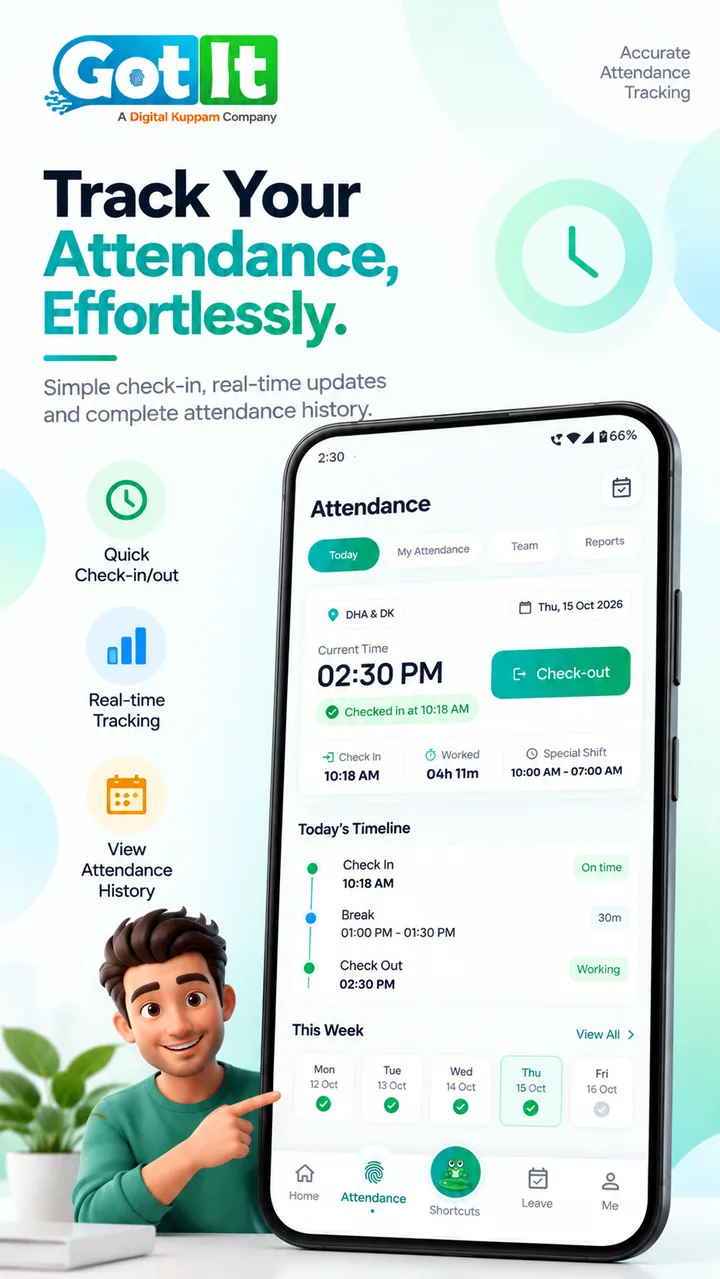
GotIt Mobile attendance screen after a check-in
FAQ

Common questions

Do we need a scanner device?

No. The QR code is scanned with the employee's phone in GotIt Mobile.

Can someone scan for a colleague?

Each scan is followed by a face check, so the punch is recorded only for the verified employee.

How often does the QR code change?

You set the rotation interval in seconds when creating the QR, and the display refreshes on its own.

What do we need at the entrance?

Any screen or tablet that can open QR Display in a browser.

Is the punch location recorded?

Yes. QR Logs store the punch coordinates and the face verification score with each scan.

Related

Works well with

GotIt support team ready to help you get started

Ready to try Scan & Go with your team?

Start a 7-day free trial with every module, or book a demo and we will walk you through it.