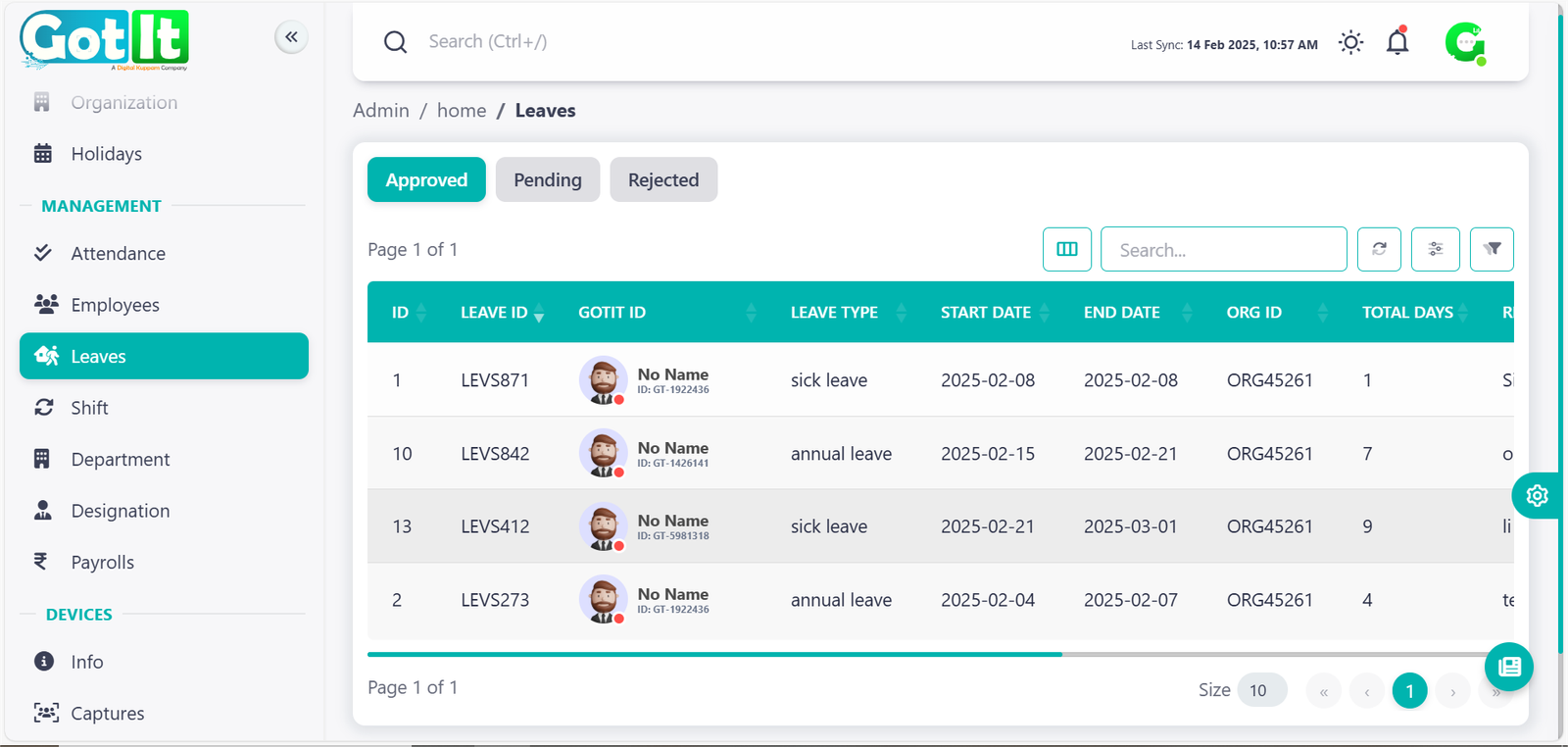
Holidays & Leaves - Let’s Get You Started!
Holidays and leaves refer to scheduled time off from work for rest, personal reasons, or vacations, ensuring employee well-being and work-life balance.
Leaves
The Leave Management module automates the leave approval process, ensuring employees can request and track their leave seamlessly while HR maintains proper records.
Key Functions:
· Leave Request Submission: Employees can apply for leaves directly through the system.
· Approval Workflow: Leave requests are processed based on hierarchy approvals.
· Leave Balance Tracking: Employees can view their available leave balance in real time.
· Holiday & Leave Policy Management: Maintains company leave policies, including sick leave, annual leave, and special leave.
Core Actions:
· Apply for, approve, or reject leave requests.
· Check leave balance and remaining leave days.
· Track leave history for employees.
· Define company leave policies and holidays.
Key Features:
· Self-Service Leave Requests for employees.
· Automated Approval Workflow based on company hierarchy.
· Customizable Leave Types (Sick Leave, Casual Leave, Annual Leave, etc.).
· Holiday Calendar Integration for seamless planning.
· Comprehensive Leave Reports for workforce analytics.
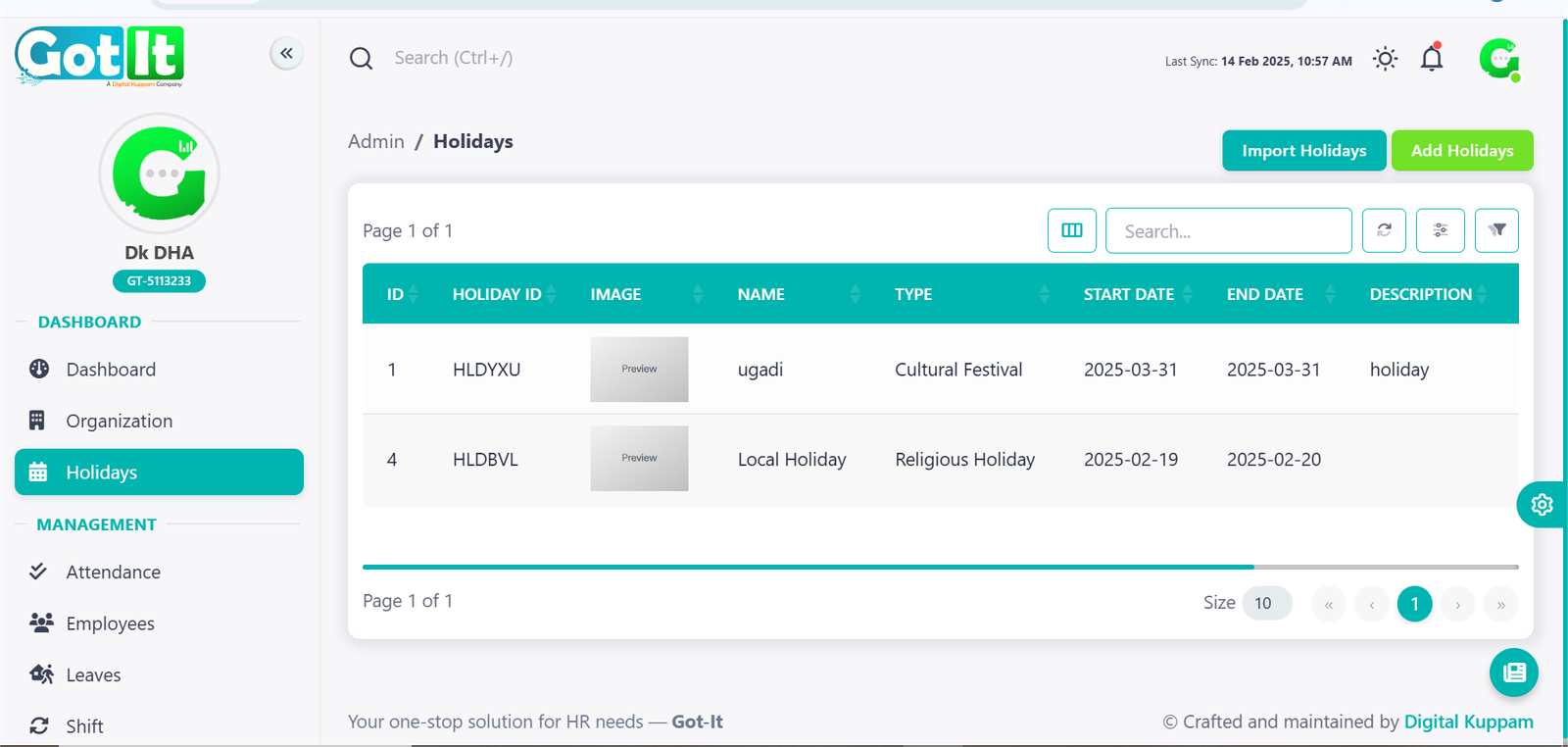
Holidays
The Holidays module in the Got-It HR system helps organizations efficiently manage public, cultural, and company-specific holidays. It provides a structured way to track holidays, ensuring employees are well-informed about upcoming leaves. This feature is essential for workforce planning, as it helps HR teams schedule workdays and leaves without disruption.
Holidays can be categorized into different types, such as:
- Public Holidays – National or government-declared holidays.
- Cultural Festivals – Region-based festivals like Diwali, Christmas, or Eid.
- Religious Holidays – Holidays based on religious significance.
- Local Holidays – Specific to a city, state, or organization.
Admins can add, edit, or remove holidays based on company policies. Employees can also view the holiday list for better leave planning.
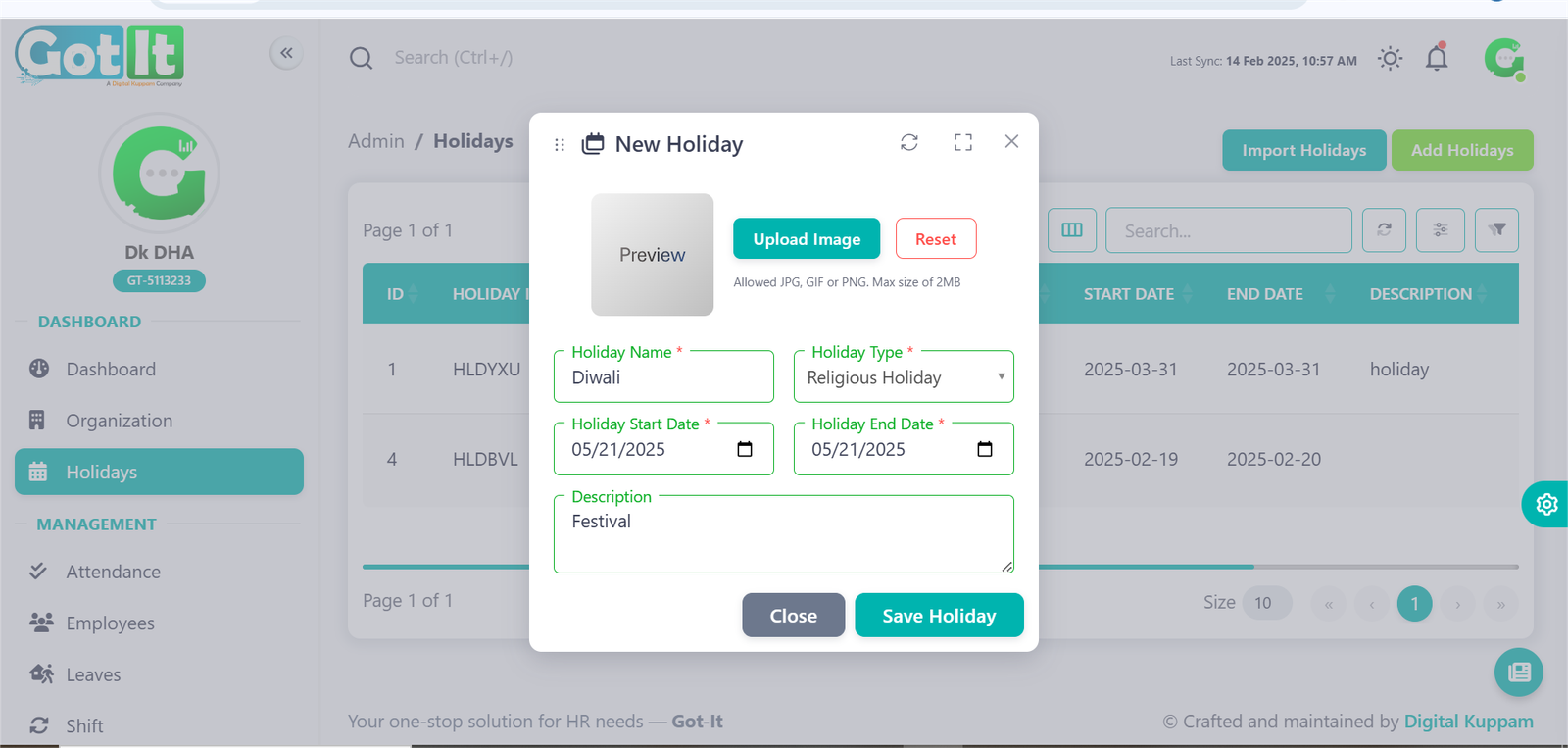
Add Holiday
The Add Holiday feature allows admins to manually enter new holidays into the system. This feature ensures that the company’s unique or region-specific holidays are recorded. Admins can fill in:
- Holiday Name (e.g., Thanksgiving, Holi, Lunar New Year)
- Holiday Type (Public, Cultural, Religious, Local)
- Start Date & End Date – Defines single or multi-day holidays.
- Description – Additional details, if necessary.
- Holiday Image – Option to add a visual representation.
Once saved, the holiday is automatically added to the system and becomes visible to employees in their dashboard.
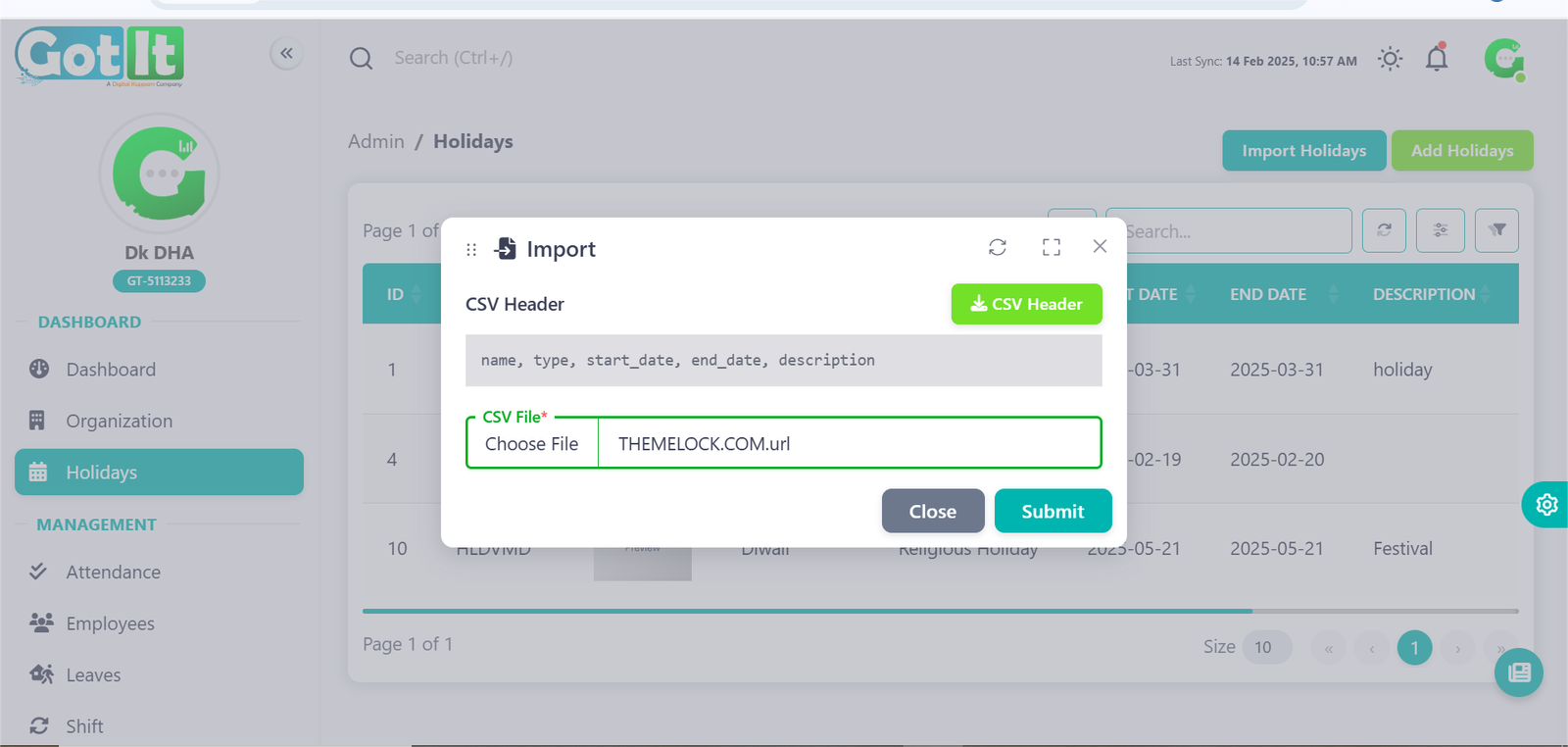
Import Holiday
The Import Holiday feature is useful for organizations that want to add multiple holidays at once. Instead of manually entering holidays, admins can upload a file containing a list of holidays. The system will automatically process and update the holiday records.
Steps to Import Holidays:
- Click on the Import Holidays button.
- Upload a file (CSV, Excel, or system-supported format).
- Ensure the file includes necessary fields like Holiday Name, Type, Date, and Description.
- Review and confirm the upload.
- The system will process the data, and holidays will be added automatically.