
Employee Management - Let’s Get You Started!
Employee management involves overseeing recruitment, performance, development, and well-being of staff.
Employee
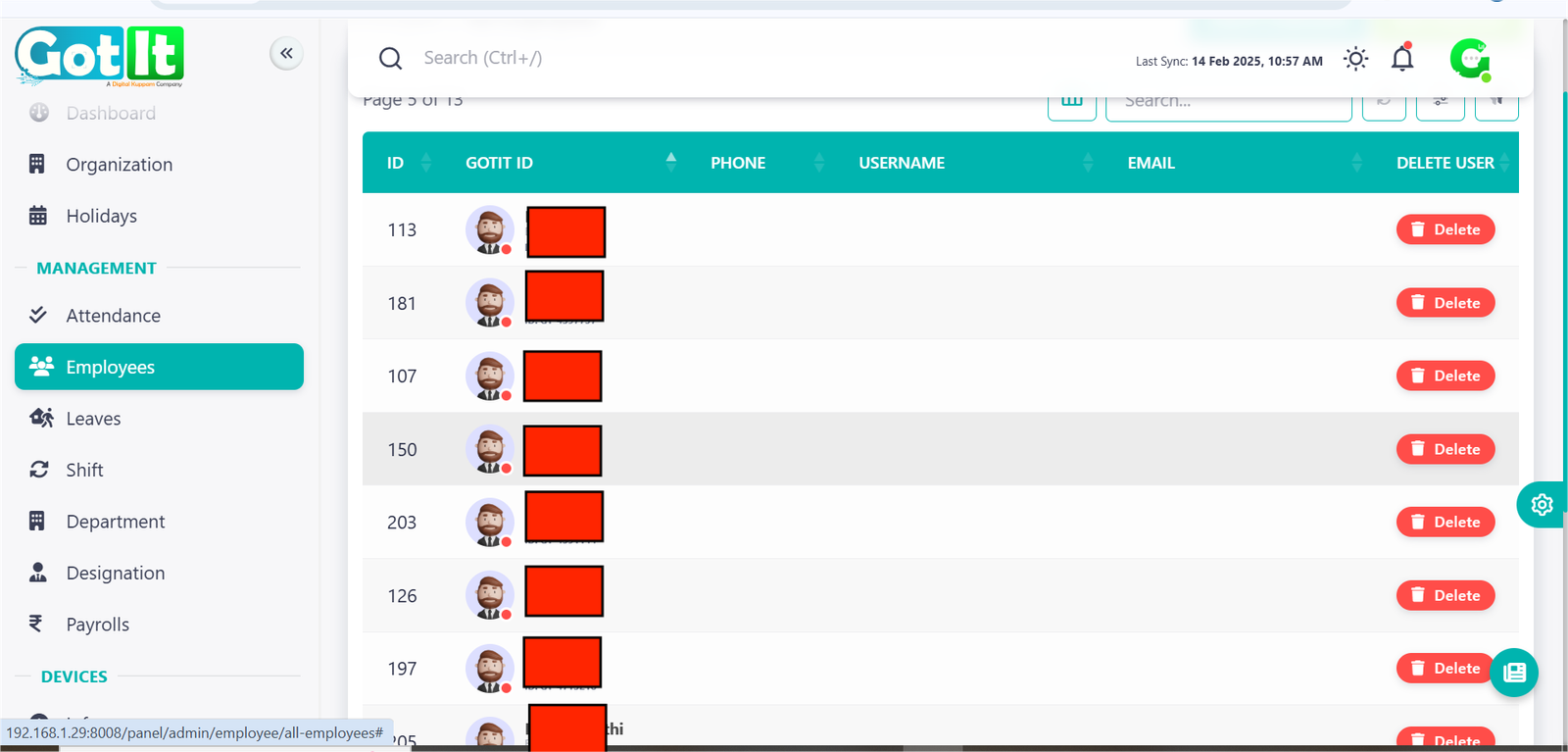
The Employee Management module is responsible for maintaining employee records, managing profiles, and ensuring accurate workforce data. It provides a centralized system for HR to monitor and update employee details efficiently.
Key Functions:
· Employee Registration: HR can add new employees, including their personal details, department, designation, and shift.
· Profile Management: Employee details such as phone number, email, department, and designation can be updated.
· Search & Filter Employees: Advanced search functionality to filter employees based on department, designation, or joining date.
· Employee Status Management: Tracks active, inactive, and resigned employees for better workforce planning.
Core Actions:
· Add, edit, or delete employee records.
· Assign or update departments and designations.
· Manage employee shifts and roles.
· View and filter employees based on job roles, departments, or date of joining.
Key Features:
· Secure Employee Database for centralized information storage.
· Role-Based Access Control to restrict information based on user permissions.
· Integration with Attendance & Payroll for efficient workforce management.
· Automated Notifications for status updates like promotions, transfers, and exits.
· Detailed Employee Reports for HR analytics.
Add Employee
Add Employee:-
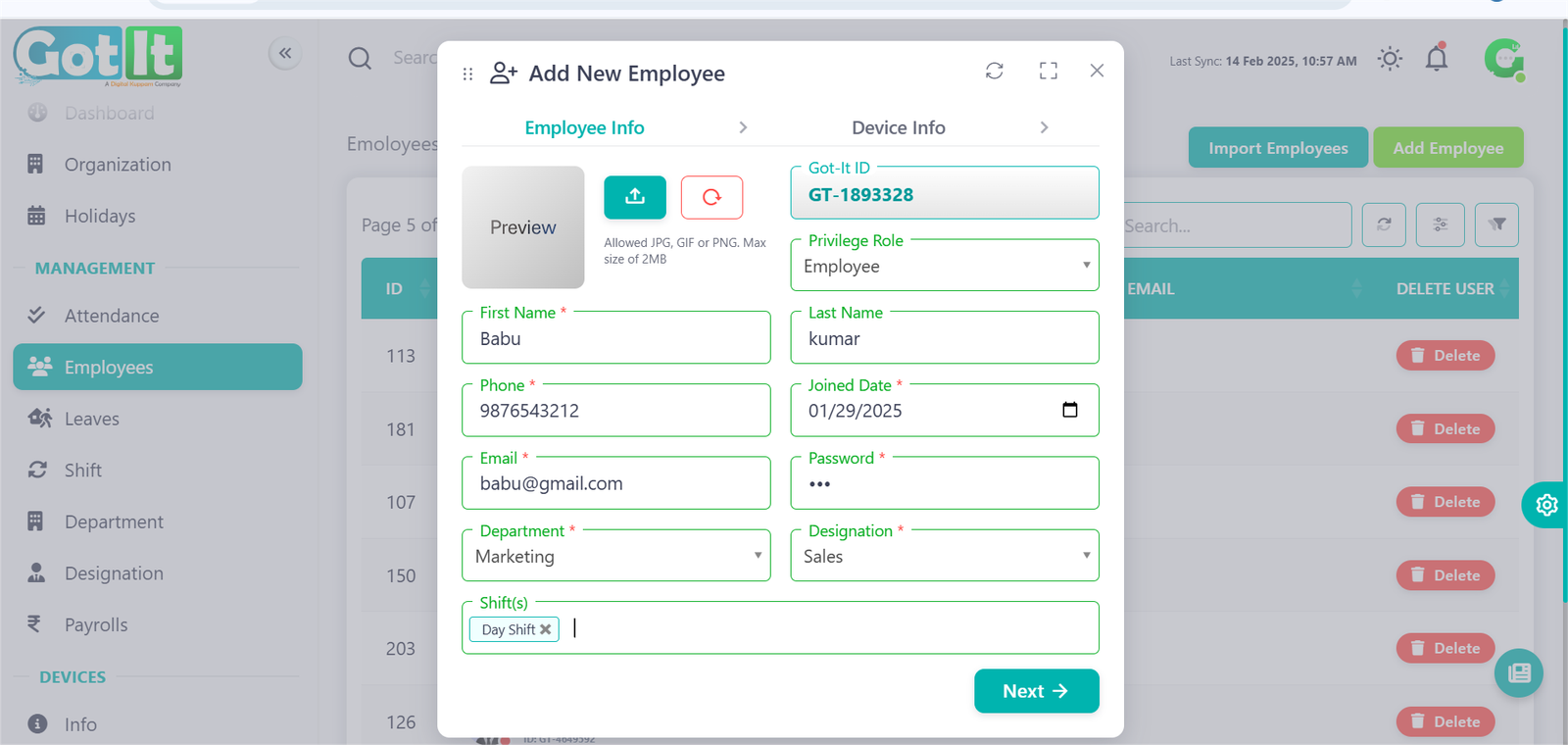
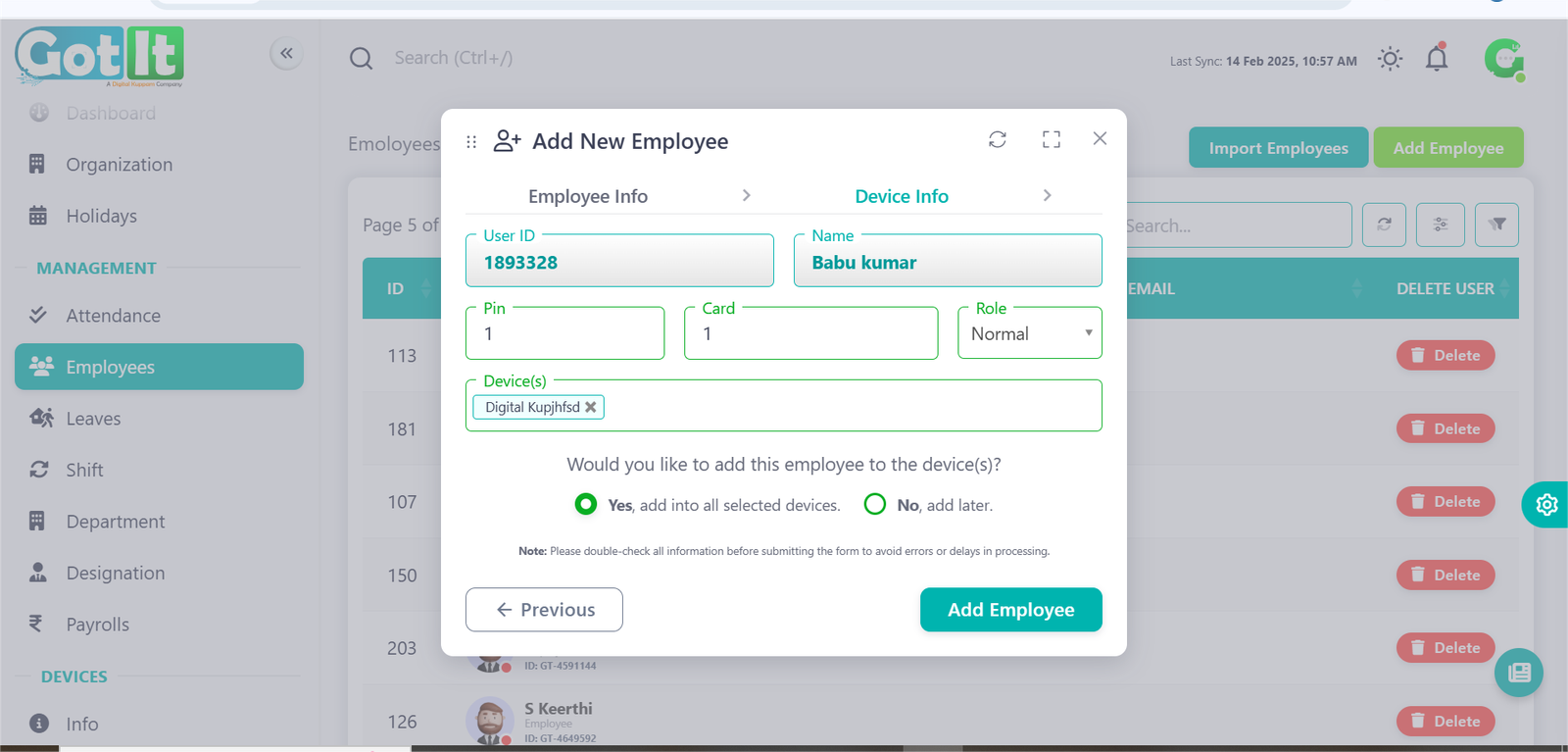
The Add Employee Panel is a user-friendly interface designed to allow administrators to add new employees to the organization. It ensures that all relevant details about the employee are captured accurately and stored within the system.
Key Features:
Employee Information Fields:
- First Name: Editable text field to enter the employee's first name.
- Last Name: Editable text field to input the employee's last name.
- Email: A field for the employee's email address, ensuring proper communication.
- Phone: Editable field for the employee's contact number.
- Designation: A dropdown menu to assign a specific role or position within the organization.
- Department: A dropdown menu to associate the employee with a relevant department.
- Date of Joining: A date picker to record when the employee joined the organization.
Additional Details:
- Address Section: Optionally expandable section to add the employee’s address details.
- Status: A dropdown or toggle to set the employee's status (e.g., Active or Inactive).
Action Buttons:
- Close Button: Exits the panel without saving any details.
- Add Employee Button: Saves the newly added employee’s information and integrates it into the organization's database.
Import Employee
Import Employee
The Import Employees Panel allows users to efficiently upload multiple employee records using a CSV file. This feature streamlines employee data entry, ensuring accuracy and consistency in the organization's database.
Key Features
- CSV Header Preview: Displays the required column headers, such as:
first_name, last_name, phone, email, joined_date- CSV File Upload:
- A file selection field to upload the CSV file.
- Displays the selected file name.
- Download CSV Header: A button to download a sample CSV header for reference.
Actions Available:
- Close Button: Exits the panel without uploading the file.
- Submit Button: Uploads the selected CSV file and imports employee records.
