Employee - Let’s Get You Started!
Gotit Employee Panel streamlines attendance, payroll, leave, and performance management for efficient workforce operations.
Profile
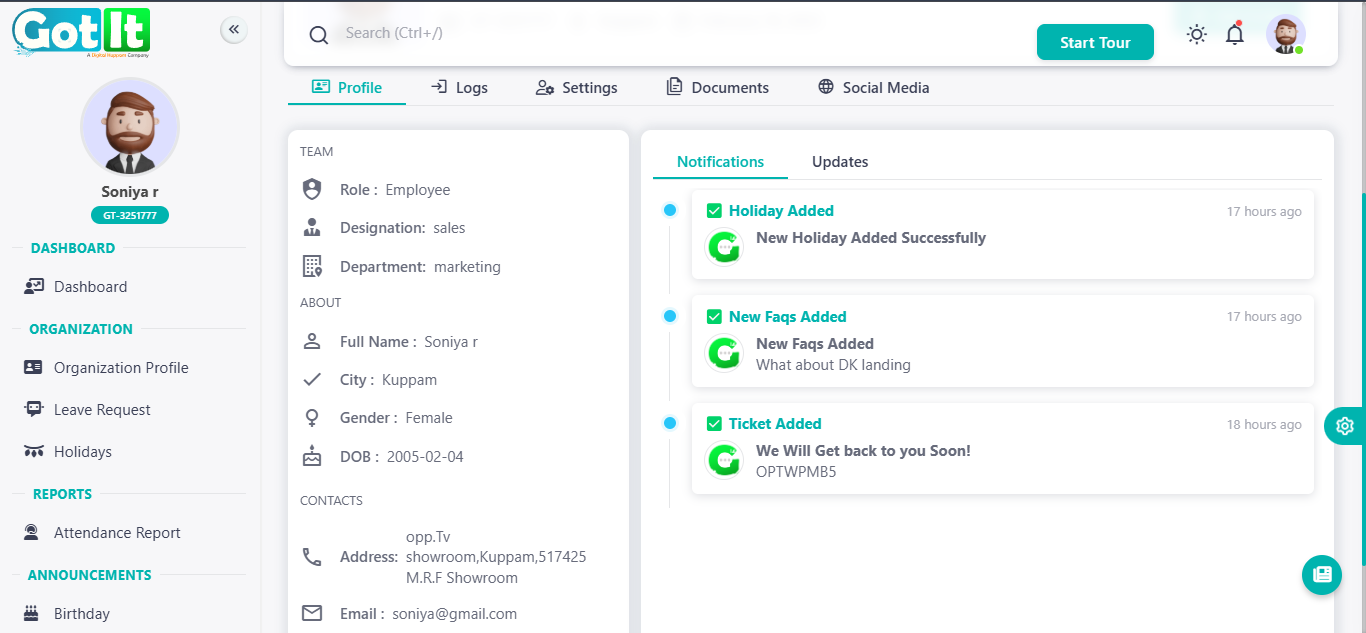
Employee Profile
Employee Name, a Job Title in Department Name, is based in City/Branch with Employee ID Unique Employee ID. They have access to attendance, leave, payroll, and company updates.
Key Details
- Role: Employee | Department: Department Name
- ID: Unique Employee ID | Location: City/Branch
- Gender: Male/Female | DOB: DD-MM-YYYY
- Email: Employee Email
Features
- Attendance & Leave Tracking
- Payroll Insights
- Company Announcements
- Support Panel
Notifications
- Holiday Added – Successfully added.
- FAQs Updated – Check latest updates.
- Support Ticket Submitted – Awaiting response.
Documentation
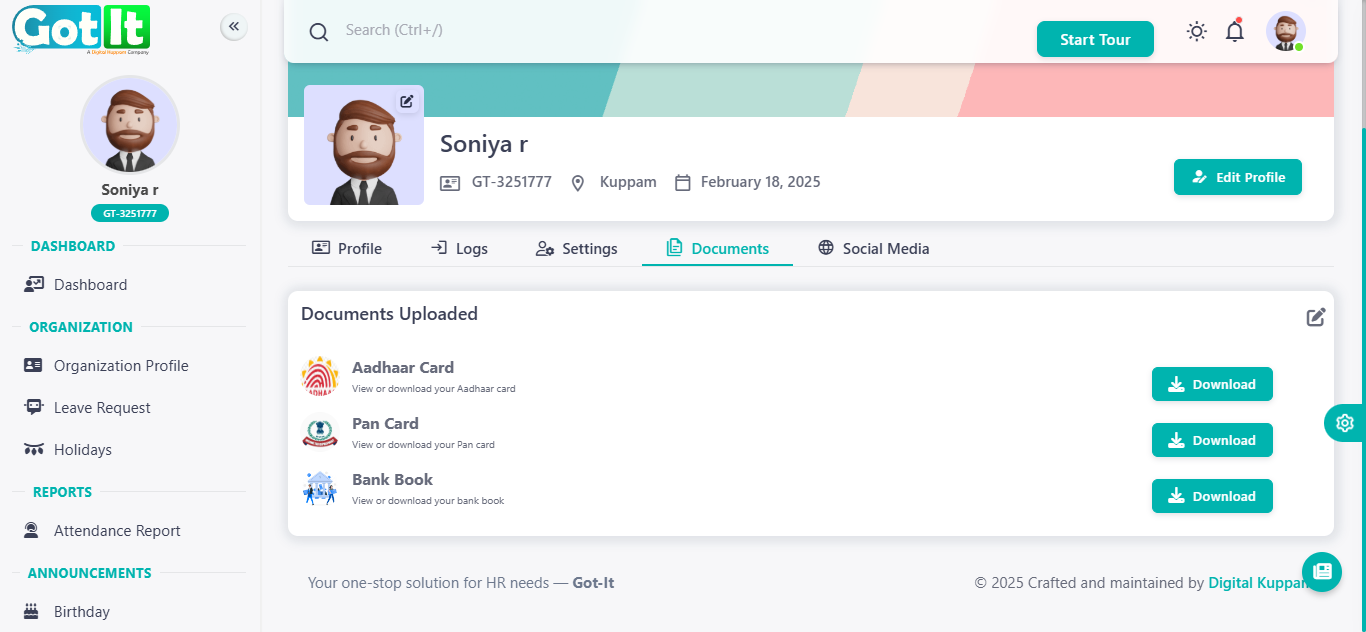
The employee has uploaded essential documents for verification and record-keeping. These documents can be accessed, viewed, or downloaded as needed.
Documents Available
- Identity Proof – Personal identification document.
- Financial Document – Used for official and payroll purposes.
- Bank Record – Related to salary and transactions.
Update Documentation
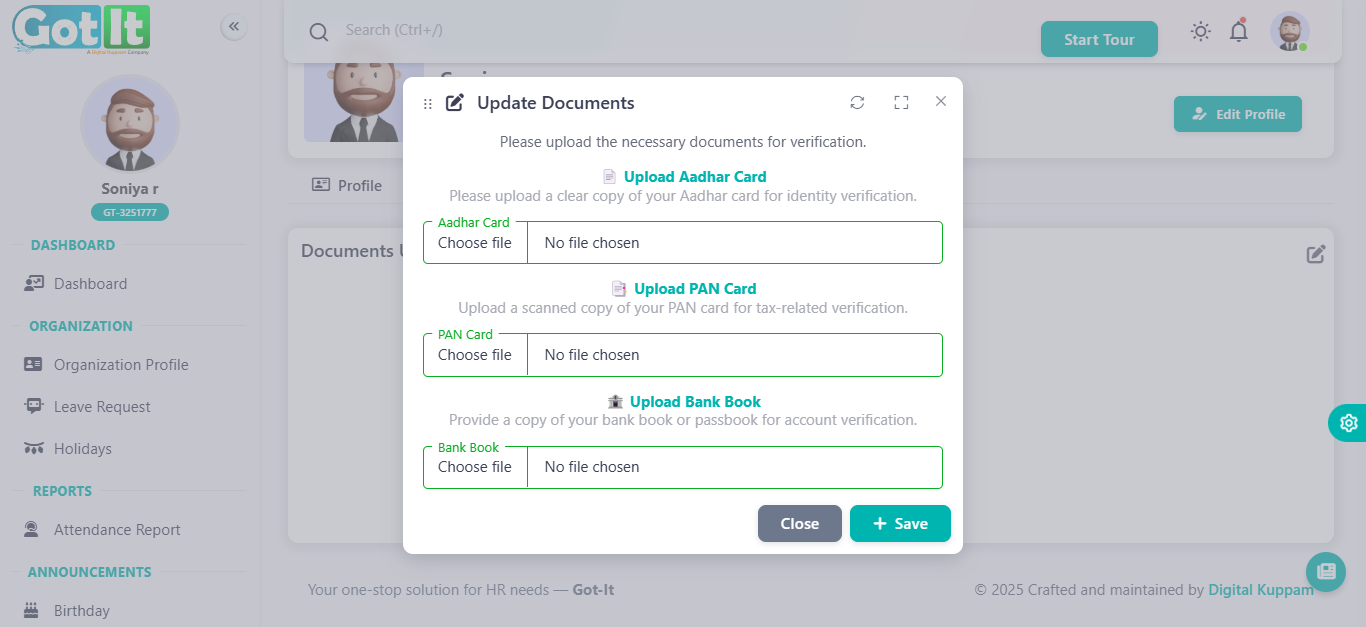
Employees are required to upload essential documents for verification. This ensures secure identification and compliance.
Documents to Upload
- Identity Proof – Submit a valid ID for verification.
- Tax Document – Provide necessary details for tax purposes.
- Bank Details – Upload relevant bank records for financial transactions.
Leave Request
Employees can submit leave requests for approval. The leave request system ensures proper tracking and management of employee leaves.
Key Features
- View leave history and status
- Request different types of leave
- Track start and end dates
- Monitor approval status
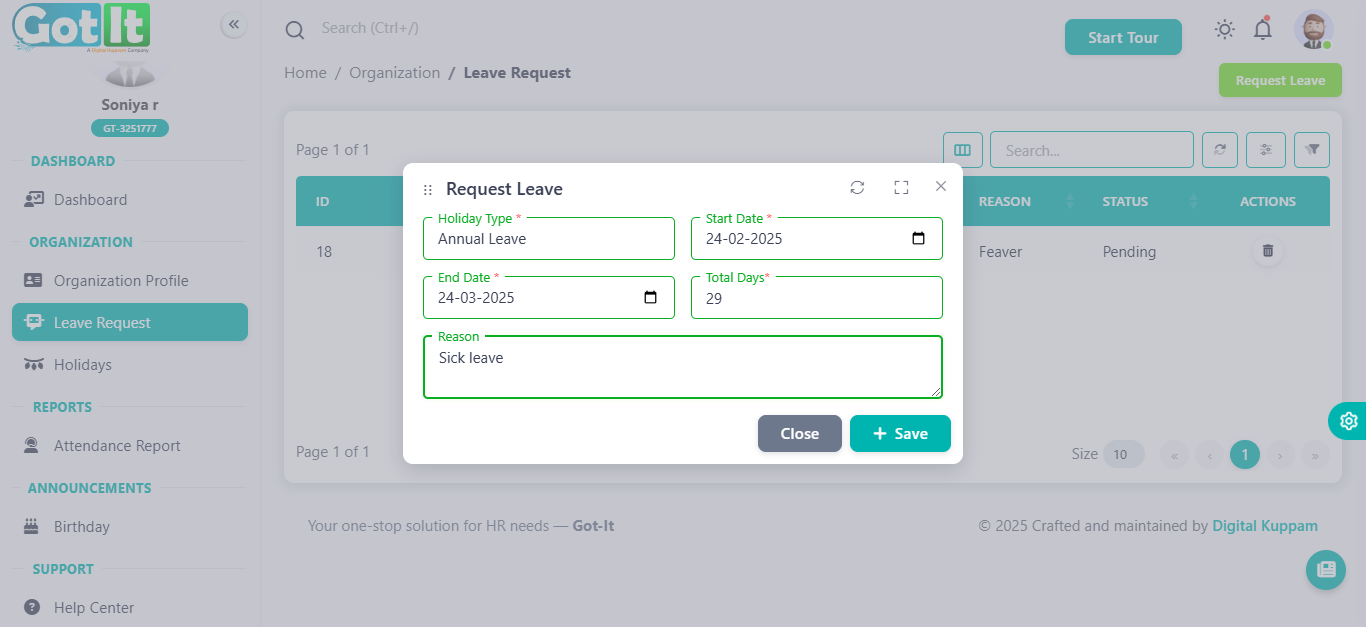
Employees can submit leave requests by filling out the required details in the leave request form.

Leave Request
Form Fields:
- Holiday Type: Select the type of leave (e.g., annual leave, sick leave, maternity leave).
- Start Date: Choose the date when the leave begins.
- End Date: Choose the date when the leave ends.
- Total Days: Automatically calculated based on the start and end dates.
- Reason: Provide a reason for the leave request.
Once submitted, the leave request will be reviewed and updated in the system.
Attendance
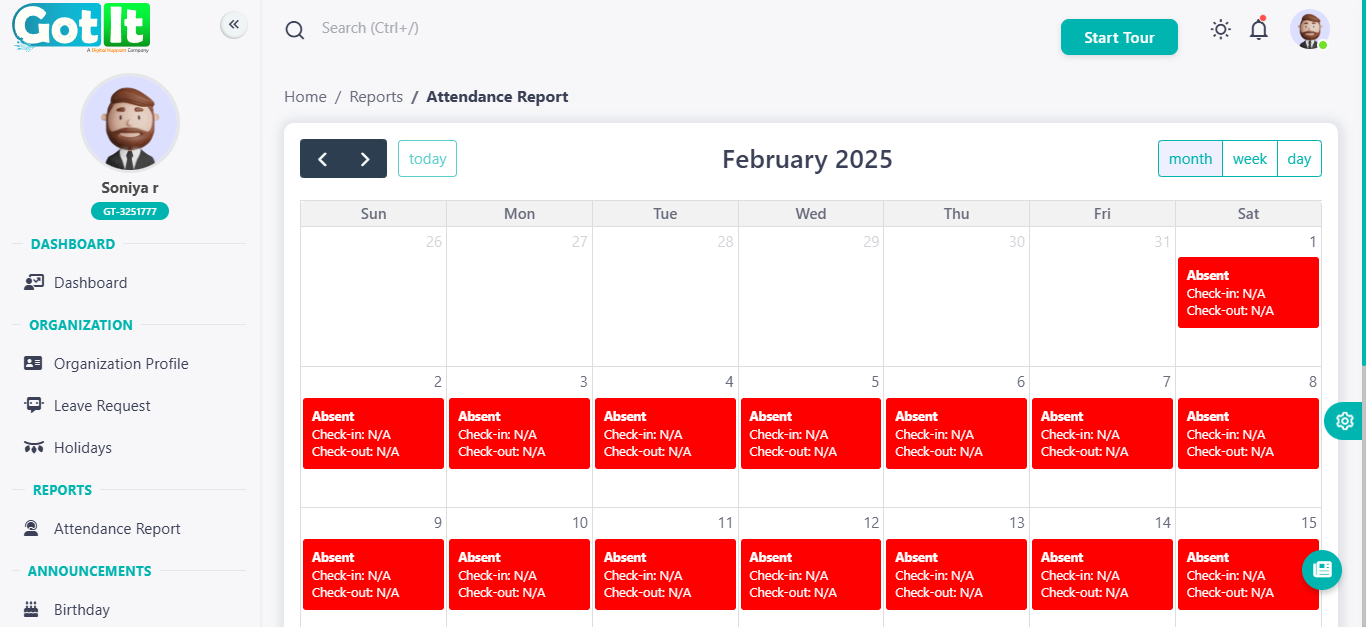
The Attendance Report provides an overview of an employee’s attendance records for the selected month. It visually represents attendance status using a calendar format.
Features:
- Displays check-in and check-out times for each day.
- Highlights absent days in red with "Check-in: N/A" and "Check-out: N/A".
- Allows switching between month, week, and day views for better analysis.
- Provides navigation to previous or next months.
Analytics
Dashboard
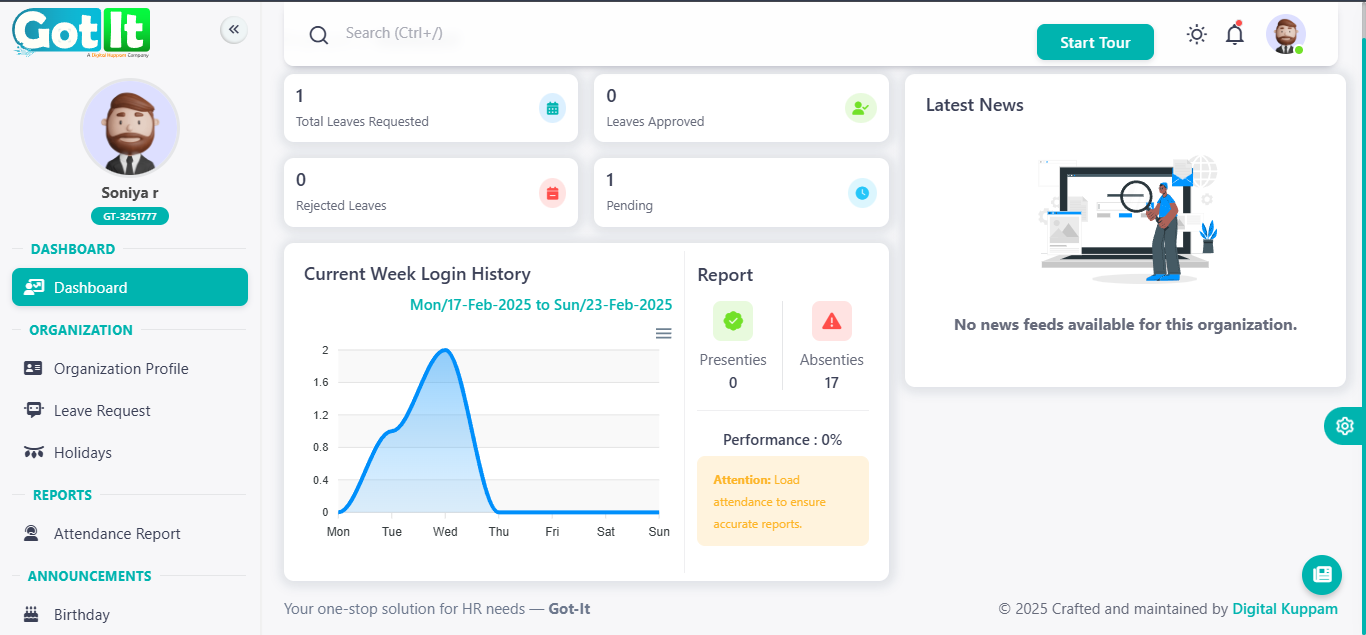
The Employee Dashboard provides a snapshot of an employee’s leave requests, attendance records, and login history in an easy-to-understand format.
Key Features:
- Leave Summary:
- Displays total leaves requested, approved, rejected, and pending.
- Current Week Login History:
- A graphical representation of login activity over the past week.
- Attendance Report:
- Shows the total number of days present and absent.
- Highlights performance percentage based on attendance.
- Latest News Section:
- Displays updates and announcements relevant to the organization.
- Alerts & Notifications:
- Provides attention messages regarding attendance data accuracy.