Devices - Let’s Get You Started!
Devices refer to electronic tools or machines, such as computers, smartphones, and tablets, used for communication, work, and entertainment.
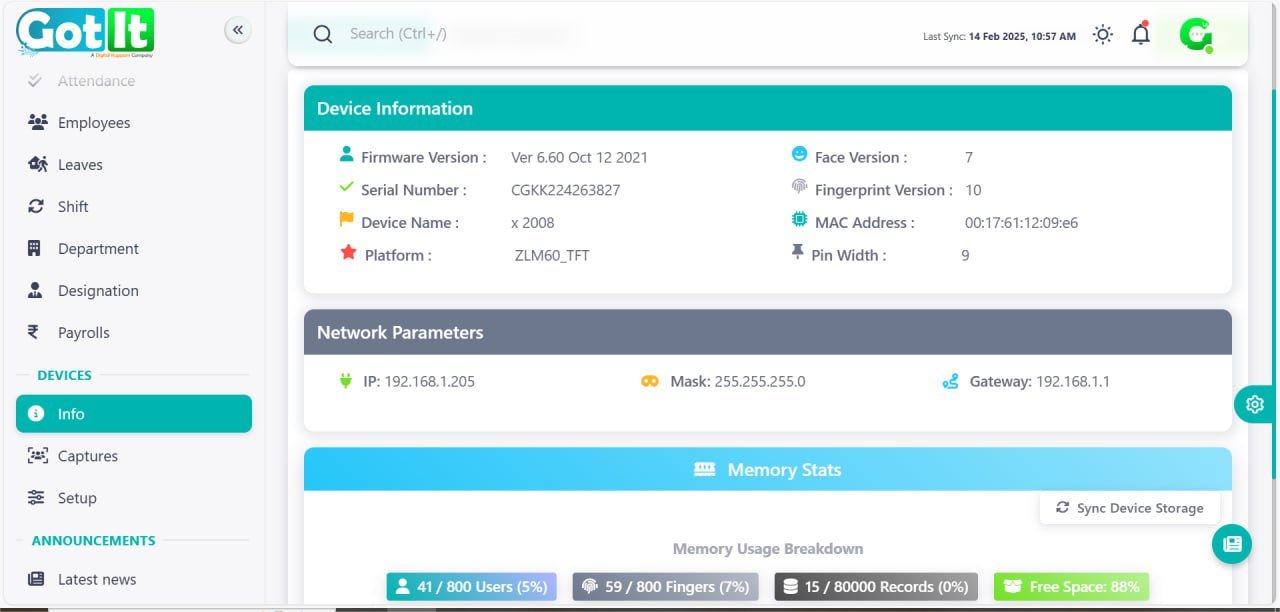
Device Info
The Info section serves as the central hub for managing user details, departmental information, and administrative updates. It provides a structured overview of users categorized by department and designation, ensuring streamlined management.
· User Management: Displays user IDs, names, roles, and associated groups.
· Departments & Designations: Users are categorized based on their department and job roles.
· Announcements: Latest news, company updates, and employee birthdays are highlighted.
· Support & FAQs: Includes a help center for common queries and troubleshooting.
Captures
Capture - User
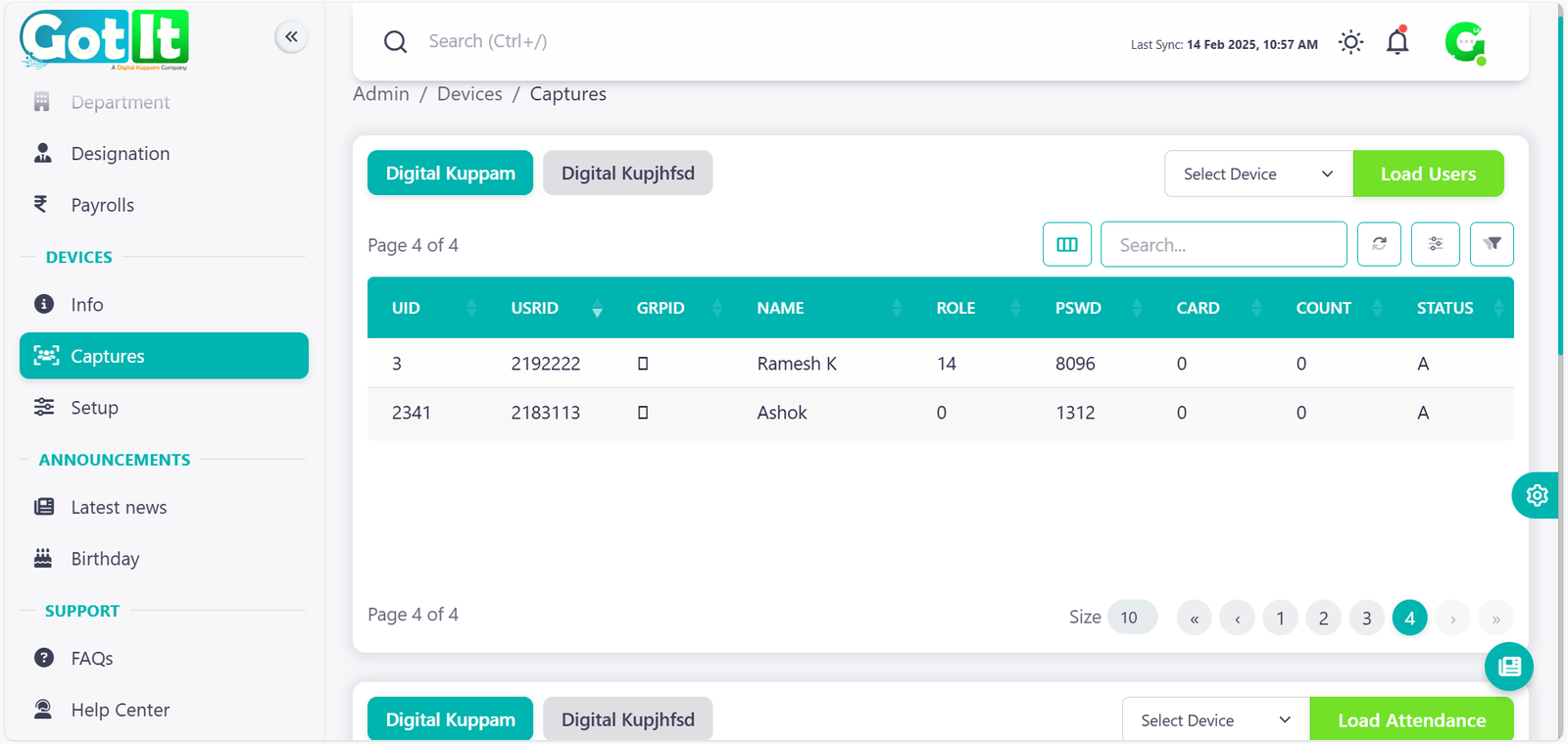
The Capture - User section is designed to store and manage user data efficiently, ensuring that every employee’s credentials and roles are securely maintained. This section includes user IDs, group IDs, and card status, helping administrators track active and inactive users within the system.
· User ID & Group ID: Unique identifiers for employees.
· User Roles & Credentials: Displays assigned roles and password details.
· Card Status: Indicates active and inactive users.
· Search & Filters: Allows searching and filtering of users based on various attributes.
Capture - Attendance
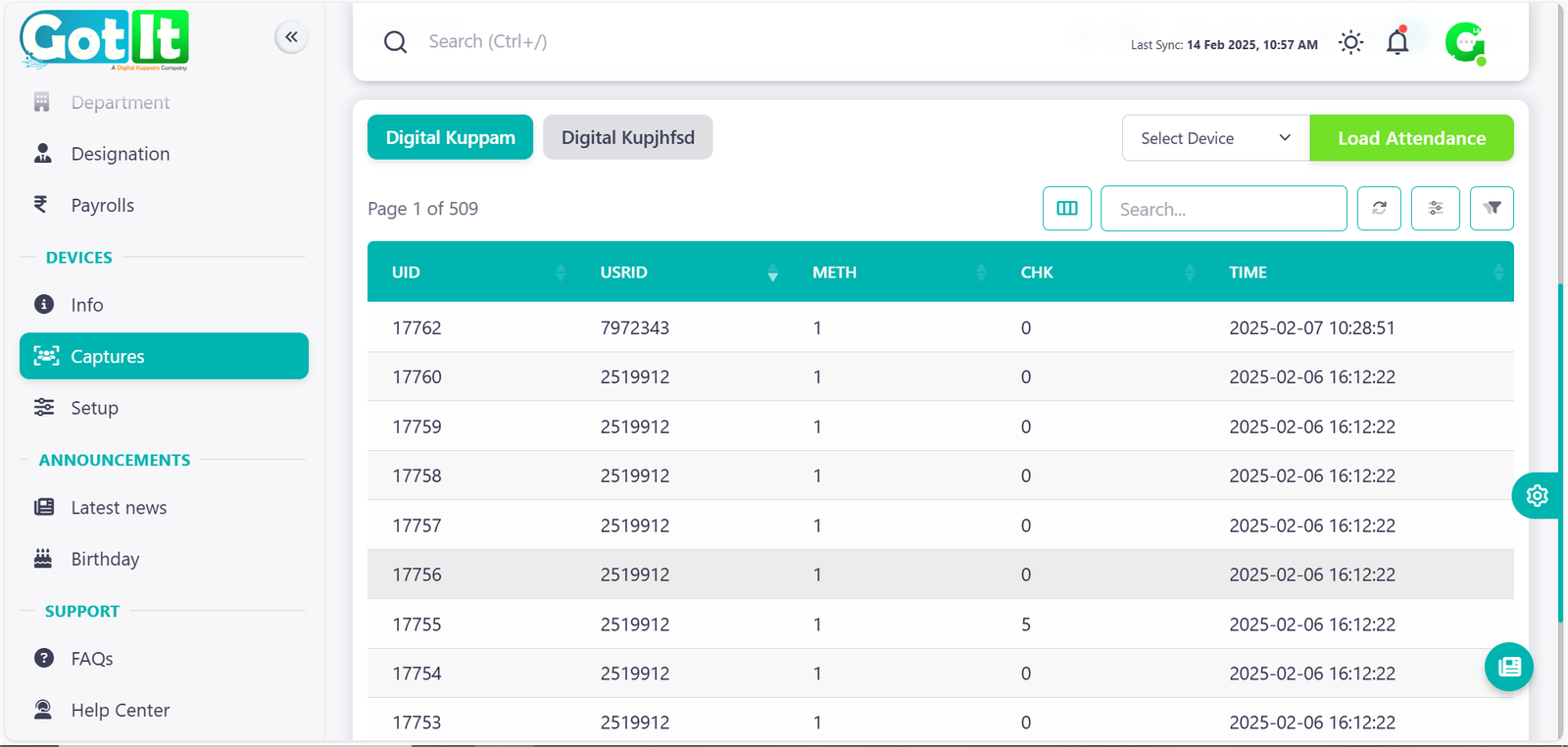
The Capture - Attendance section plays a vital role in tracking employee attendance and work hours in real time. It records check-in and check-out timestamps, providing accurate logs for payroll and performance evaluation.
· Employee Check-in & Check-out: Timestamped logs of daily attendance.
· Device Selection & Data Loading: Users can select devices to pull attendance records.
· Attendance Verification: Status of attendance, including present, absent, or late entries.
· Pagination & Navigation: Allows easy browsing of attendance records over multiple pages.