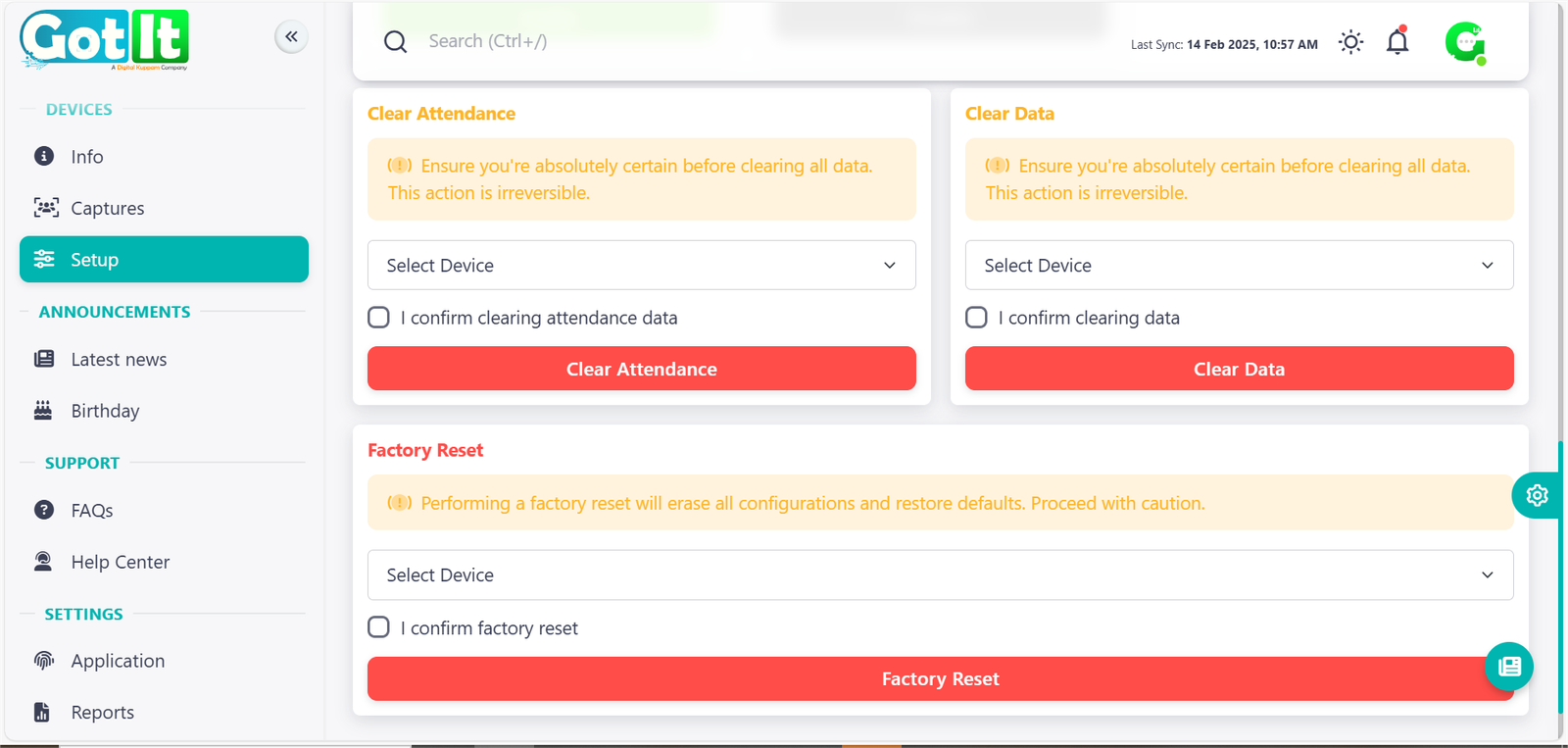
Device Setup - Let’s Get You Started!
Device setup refers to the process of configuring and installing hardware and software to ensure devices are ready for use.
Device Information
Audio & Times settings
The Device Setup & Management system in Got It provides a streamlined way to configure and monitor devices efficiently. It offers features for device settings, time synchronization, voice testing, and connection management, ensuring smooth operation.
Key Features:
· Device Settings – Configure and manage device parameters.
· Test Device Voice – Verify audio functionality for selected devices.
· Device Time Sync – Get or set device time accurately.
· Device Connection – Power off, restart, or reconnect devices for stable performance.
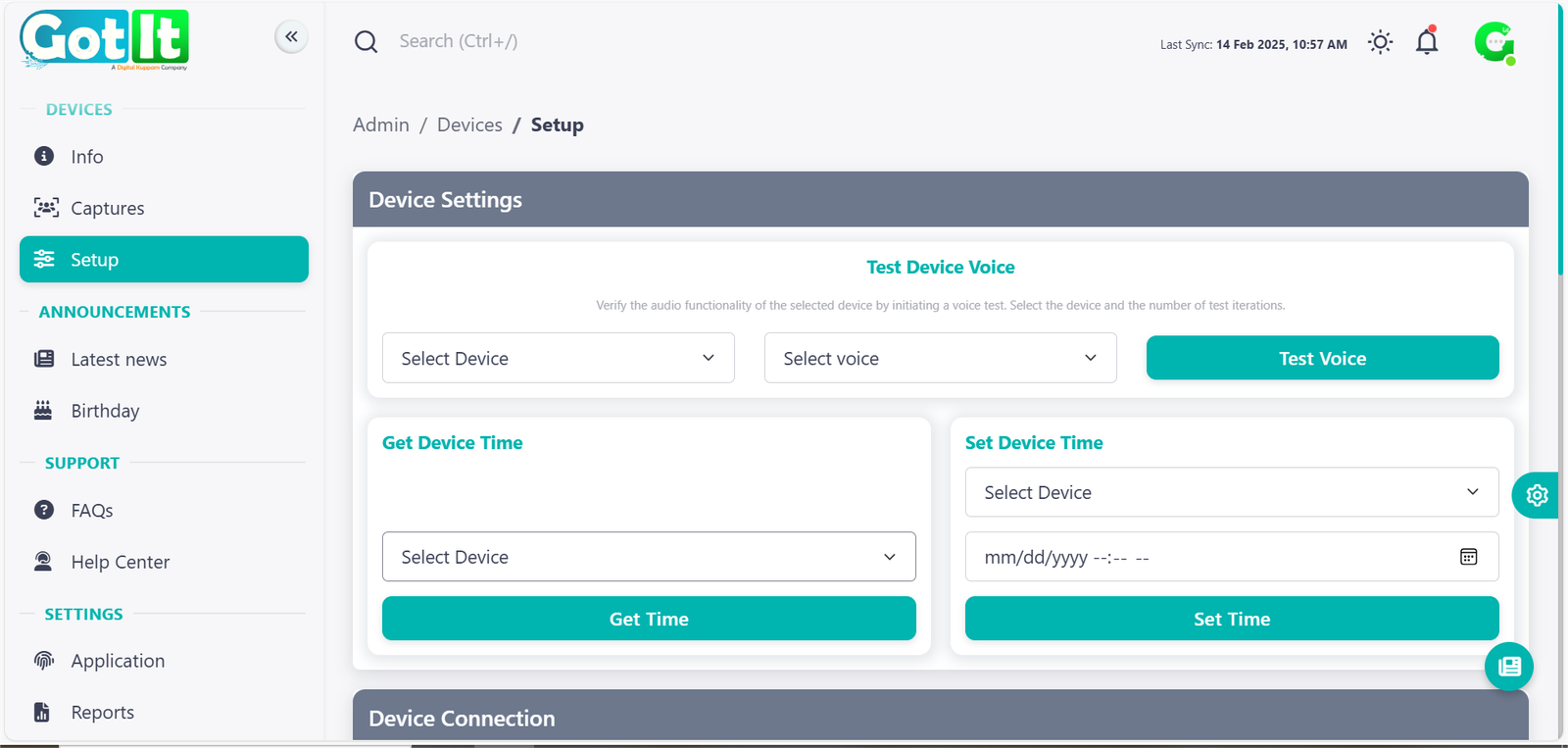
Device management
The Device Management System in Got It allows administrators to efficiently handle various device operations, ensuring smooth functionality and minimal downtime. It provides a structured interface for managing multiple devices with ease. The system ensures that all operations are performed securely without risking data loss.
Key Features:
1. Device Connection Management
· Power Off – Safely shuts down devices to prevent damage or data loss.
· Restart – Refreshes system resources without a full power cycle.
· Reconnect – Re-establishes the connection between the device and the system.
· Enable/Disable Device – Allows activation or temporary deactivation of devices.
2. Data & Configuration Management
· Clear Data – Erases all stored data irreversibly.
· Factory Reset – Restores the device to default settings, removing all configurations.
3. Navigation & User Interface
· Sidebar Menu provides quick access to Device Info, Captures, Setup, Announcements, Support, and Settings for a seamless experience.
· Dropdown Selection allows users to choose specific devices before performing any actions, ensuring accurate control.
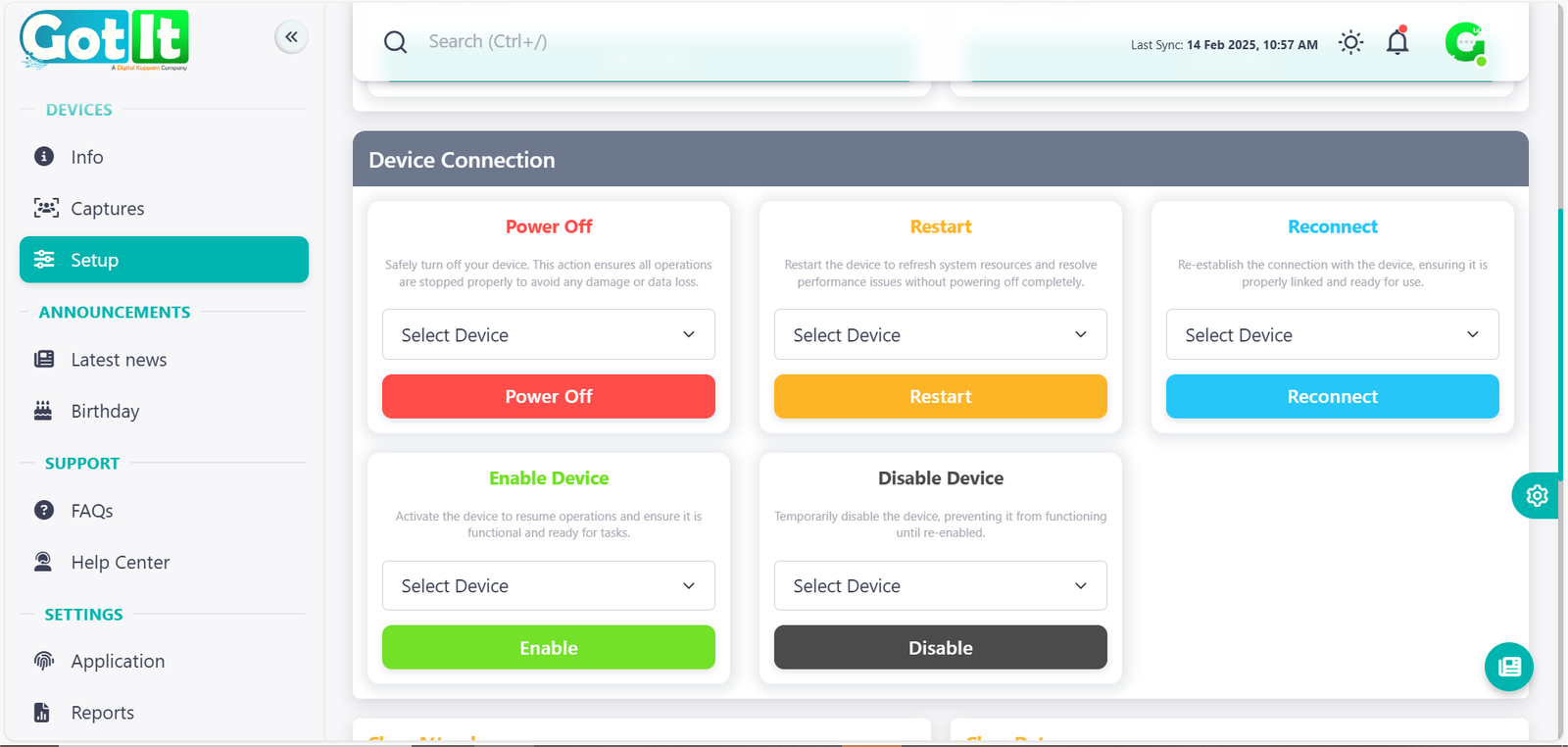
Data & System Reset
The Data & System Reset module in Got It provides essential tools for managing stored data and restoring devices to their default settings. These actions ensure system integrity and smooth operation while preventing unwanted data retention.
Clear Data
· Permanently deletes all stored data from the selected device.
· This action is irreversible, so users must confirm before proceeding.
· Useful for maintaining privacy and clearing outdated or unnecessary information.
Factory Reset
· Restores the device to its original factory settings, removing all configurations, user data, and stored files.
· Ideal for troubleshooting issues, repurposing devices, or ensuring a clean start.
· Requires confirmation before execution, as it erases all custom settings.