
Attendance Management - Let’s Get You Started!
Attendance management involves tracking employee attendance, ensuring punctuality, managing leaves, and maintaining records for payroll and performance evaluation.
Attendance
The Attendance Management module ensures proper tracking of employee work hours, attendance records, and shift schedules. It helps in workforce monitoring, payroll calculation, and productivity analysis.
Key Functions:
· Daily Attendance Tracking: Employees can mark attendance using biometric systems, RFID, or manual entry.
· Shift Management: Assign and modify shifts for employees based on business needs.
· Late & Overtime Monitoring: Tracks late arrivals, early departures, and overtime hours for payroll adjustments.
· Real-Time Attendance Reports: Provides real-time insights into employee attendance patterns.
Core Actions:
· Mark attendance manually or through automated systems.
· Track work hours, including late arrivals and overtime.
· Generate attendance reports for payroll processing.
· Assign and update shift schedules.
Key Features:
· Automated Attendance Recording through biometric or RFID integration.
· Customizable Shift Management for flexible workforce scheduling.
· Real-Time Tracking & Alerts for absentees, late arrivals, and overtime.
· Seamless Payroll Integration for accurate salary calculations.
· Monthly & Weekly Reports to analyze employee attendance trends.
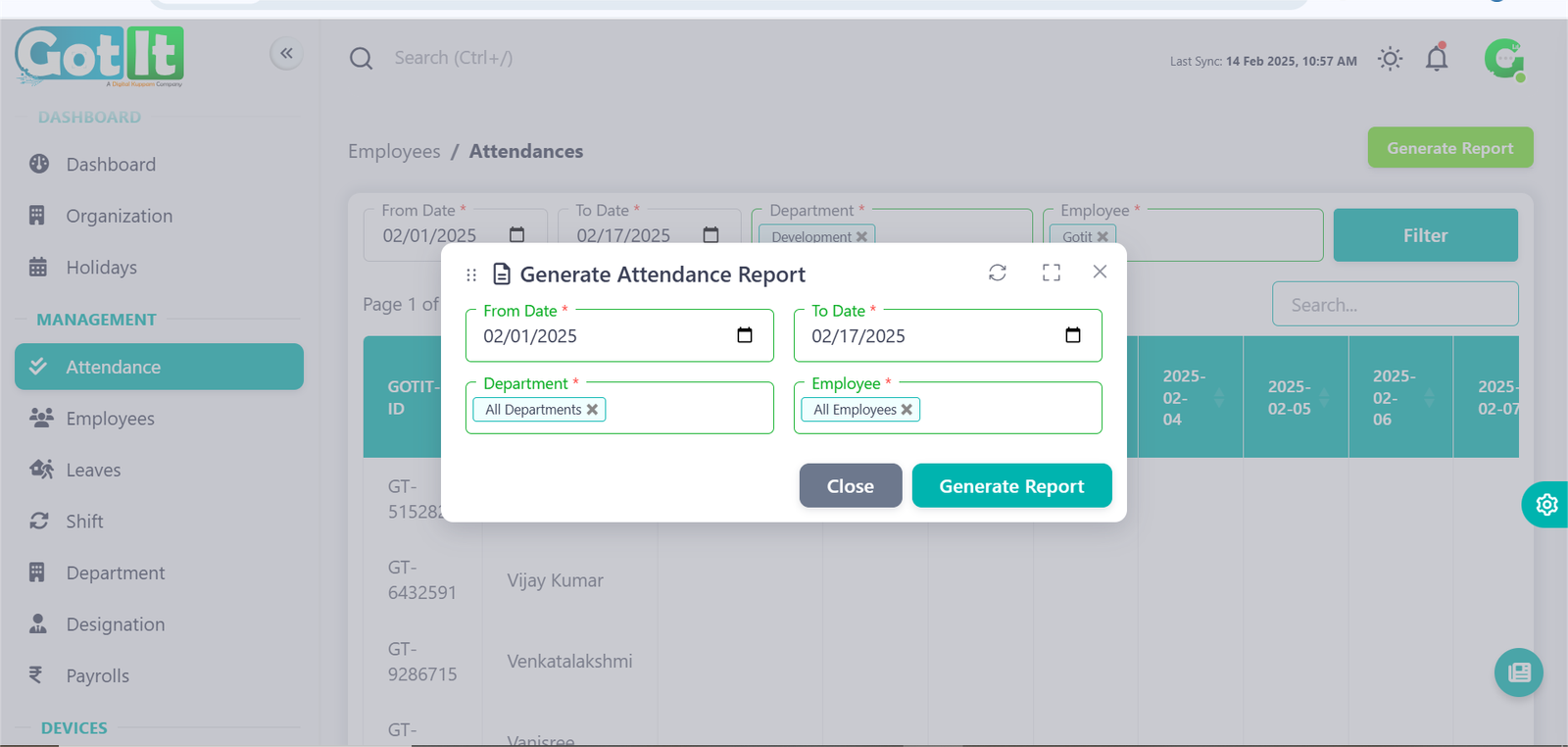
Attendance Report
Generate Report
The Attendance Report section allows admins to track employee attendance records efficiently. It provides a comprehensive overview of employee working hours, absences, and shift details.
Key Features:
Steps to Generate an Attendance Report:
- Navigate to the Attendance Report section.
- Select the date range for the report.
- Choose the department or specific employee for filtering results.
Click the "Generate Report" button.
View or download the report in the preferred format.